DUE:
- 6x6, 300 DPI
Objective:
- Paint a CANDID expression of ONE character from either:
- Blizzard
- Game of Thrones
- DC
- Marvel
Requirements:
- Portrait ONLY (No half body, full body)
- Must show form and texture (Include highlights & shadows; No flats)
- Must show expression (try for something humorous like a photo booth portrait)
- Must be in COLOR
Monday, August 1, 2016

Introduction Class Assignment
DUE:
- Self Portrait - "FullName_DART135_Introduction_Portrait.jpg"
- Portrait orientation, high resolution image
- Must show form (light side/dark side)
- Must capture likeness
- Must be drawn
- 2 hour maximum limit
- Must be drawn
- 2 hour maximum limit
- Digital Portfolio - "FullName_DART135_Introduction_Portfolio_X.jpg"
- Five examples of strongest artwork
- Word Document - "FullName_DART135_Introduction.doc"
- Name
- 2 Most Inspirational Artists: Why? What specific work is your favorite; why?
- What do you want to do with art? Is there a company/studio do you want to work for? Why?
- What position/job do you want in that company/studio?
- Why do you think that company and position is the best choice?
- Do you have a sketchbook you work in outside of this class?
- How many hours of the week are you sketching?
- Why do you think that company and position is the best choice?
- Do you have a sketchbook you work in outside of this class?
- How many hours of the week are you sketching?
- What do you want to get out of this class?
Wednesday, July 27, 2016
Project 07- Portfolio
DUE:
Assignment Guidelines
1. On USB flash drive:
- 300 DPI, JPEG format
- Include all most up-to-date versions of Project 01-06 files
- File name format: "FullName_DART135_Project#_#.JPG"
- Ex. "MichaelMatsumoto_DART135_Project01_04.JPG"
- Include the Introduction assignment (Self Portrait, 5 Best Piece Portfolio, and Word Doc) files
2. Bring ALL physical copies of most up-to-date graded prints from Project 01-06
Project 06- Photo Bashing Character Painting
DUE:
Assignment Guidelines
11"x17", 300 DPI
Photo Bashing Technique Required
Choosing 1 character from Blizzard's Overwatch, design a reinterpretation of the character original design/costume.
We will be combining the use of the Shape Tool, the Gradient Tool, Swatches, Channels, and Smart Objects, in combination with what we learned before, in order to create high detailed textures and forms with efficient painting.
Must Include:
- Must use at least 10 photos to bash into your design
- Must appear anatomically correct
- Must appear familiar and similar to the original costume/design of chosen character
- Ground plane
- Background element
- Light source (1 minimum)
Cannot Include:
- Reinterpretation of an alternate costume; must be the original design
- Photo bashing references that come from Overwatch or another intellectual property
DON'T MAKE IT LOOK LIKE A PHOTO MONTAGE!! Use paint blending techniques.
Tuesday, July 12, 2016
Project 05- Environment Concept Painting- Colorizing and Texturing from B&W
DUE:
Assignment Guidelines
11"x17", 300 DPI
We will be combining the use of the Shape Tool, the Gradient Tool, Swatches, Channels, and Smart Objects, in combination with what we learned before, in order to create an environment based derived from imagination with better textures and techniques for efficient painting.
We will be focusing on the development process for painting an environment concept based on the following topics as the main subject/focal point:
- Sci-Fi/Fantasy : Castle Frontside
- Sci-Fi/Fantasy: Base Facility Frontside
Must Include:
- Evidence of Nature (Sky, Rocks, Mountains, Water, Earth, Vegetation, Birds, etc)
- Repetitive Symbols/Patterns
- Presence of a strong light source
Cannot Include:
- Characters
- Elements That Compete with Focal Point
DONT MAKE IT LOOK LIKE A PHOTO!! Use paint blending techniques.
1. Mood Board
2. B&W Thumbnails (10+)
3. Color Studies (2+)
4. Final Painting
Artist for Inspiration:
- Eytan Zana
- Kalen Chock
- Jaime Jones
- Frank Hong
- John Sweeney
- Sparth
Wednesday, June 15, 2016
Health & Ergonomic Resources
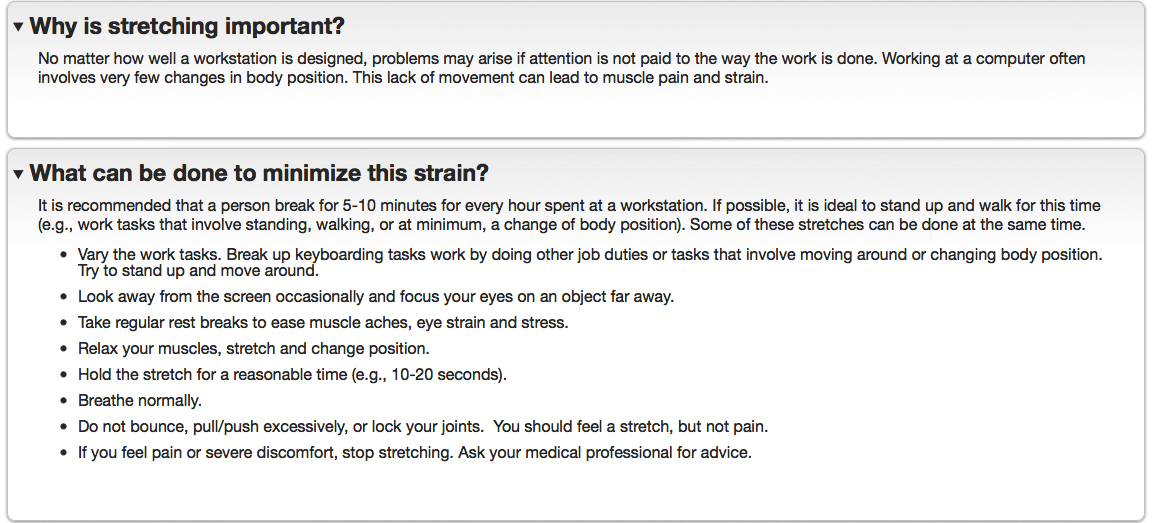
VITAL STRETCHING EXERCISES FOR THE HARD-WORKING DIGITAL ARTIST


THE 20/20/20 RULE FOR THE HARD-WORKING DIGITAL ARTIST'S VISION

ERGONOMIC POSTURING FOR THE HARD-WORKING DIGITAL ARTIST

Tuesday, April 19, 2016
Project 06- Digital Portfolio
DUE:
Turn in all the most updated versions of work for Project 01, 02, 03, 04, 05 and Extra Credit (if applicable) on a USB Flash Drive:
Turn in all the most updated versions of work for Project 01, 02, 03, 04, 05 and Extra Credit (if applicable) on a USB Flash Drive:
- All images must be:
- Properly labeled- "LastName_FirstName_135_Project(#)_(X).jpg"
- Ex. Project 05 Photo Bashing Character Painting Project-
- "Matsumoto_Michael_135_Project05_01.jpg"
- "Matsumoto_Michael_135_Project05_02.jpg"
- "Matsumoto_Michael_135_ExtraCredit_01.jpg"
- In high-resolution 300 pixels per inch
- In .JPG format, FLATTENED IMAGE (NO MULTIPLE LAYERS)
Important: Be sure to double-check that your USB/files work on another computer before coming to class. Corrupted files/flash drive will not be excused under any circumstances and will negatively affect your project grade.
Subscribe to:
Posts (Atom)